Email is still the marketing channel a small business owns outright. No algorithm decides whether your customers see the message, and a good list keeps paying off for years. The hard part is picking a tool that makes good-looking emails easy without charging enterprise prices. Campaign Monitor has been one of the best-known names in that space for a long time, and it is now part of Marigold’s family of marketing products.
This Campaign Monitor review covers what the platform does, how its plans are priced, where it is strong, where it falls short and which businesses it suits. It is based on Campaign Monitor’s own pricing and feature pages and on reputable pricing trackers as of November 2026. We have not run campaigns with it ourselves, so treat this as a researched guide rather than a hands-on test, and confirm current prices on Campaign Monitor’s pricing calculator before you buy.
Want to try Campaign Monitor? Start with Campaign Monitor →
Campaign Monitor at a glance
- What it is: an email marketing platform with a drag-and-drop builder, templates, segmentation and automated “journeys”.
- Owner: Marigold (the site brands it “Campaign Monitor by Marigold”).
- Plans: Lite, Essentials, Premier and a custom Enterprise tier, priced by number of contacts.
- Free option: a free trial, but no permanent free plan.
- Team access: unlimited users on the paid plans.
- Best for: brand-conscious small businesses, agencies and marketing teams that care about email design.
What is Campaign Monitor?
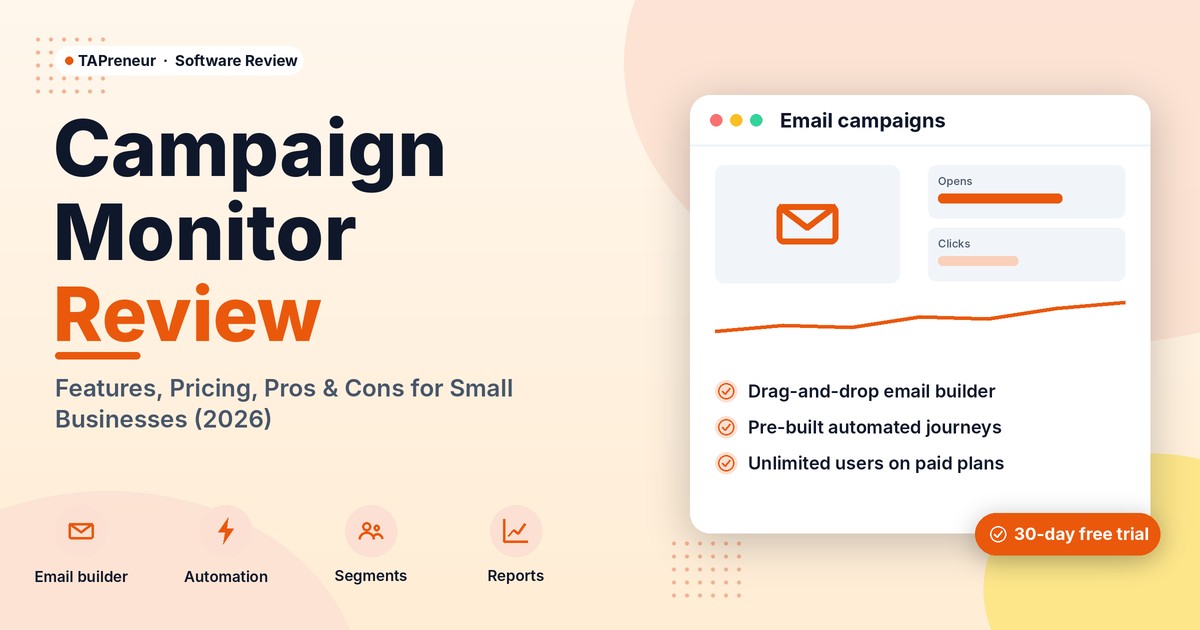
Campaign Monitor is a web-based tool for designing, sending and measuring marketing emails. You import or collect subscribers, build an email from a template in the drag-and-drop editor, choose who receives it and send it now or on a schedule. Reports then show opens, clicks and which links people used.
Beyond one-off newsletters, it handles automated emails: welcome series, drip campaigns, birthday or anniversary messages and other sequences triggered by what a subscriber does. Campaign Monitor calls these journeys, and it offers pre-built journeys you can adapt instead of starting from a blank canvas. Transactional emails (such as receipts or password resets sent through the API) are included from the Lite plan, with volume tied to your plan.
The platform has historically been known for polished templates and a clean editor, and that is still how it presents itself: the pitch is less about doing everything and more about making professional-looking email simple for people who are not designers.
Key features
Drag-and-drop email builder and templates
Every plan includes the drag-and-drop builder and a library of more than 100 responsive templates, according to Campaign Monitor. You can add your logo, colours and fonts, save sections to reuse and preview how the email will look on mobile. Higher plans add team-oriented controls such as template management and section locking, so a designer can set the layout and others can only edit the copy.
Segmentation and personalization
You can split your list by custom fields, sign-up source, location, engagement and other data, then personalize emails with merge fields and dynamic content. Premier adds advanced pre-built engagement segments, which group subscribers by how actively they open and click so you can treat loyal readers and cold contacts differently.
Automation and journeys
Automated emails and pre-built journeys are available from Lite. On Lite, automated sends count toward the plan’s monthly email limit; Essentials and Premier include unlimited automated emails along with unlimited sends overall. Typical uses are a welcome sequence for new subscribers, a follow-up after a purchase and re-engagement emails for people who have gone quiet.
Sign-up forms and integrations
Unlimited sign-up forms are included, and Campaign Monitor connects to hundreds of other apps, including e-commerce, CRM and website platforms, plus an API for custom work. If your store or CRM is already chosen, check the integrations directory for a native connection before committing.
AI writing help
Plans include an AI writer for drafting subject lines and email copy, with Essentials and above listing unlimited AI-powered features. As with any AI copy tool, it is a starting point that still needs your own voice and a fact check.
Premier extras
The top self-serve plan adds send time optimization (sending to each subscriber when they are most likely to open), advanced link tracking, template management for teams, a drag-and-drop website builder and premier support including phone.
Campaign Monitor pricing (as of November 2026)
Campaign Monitor prices by the number of contacts on your list, in brackets (up to 500, up to 2,500, up to 5,000, up to 10,000 and so on). The figures below are monthly list prices at the smallest bracket, as reported by pricing trackers in November 2026. Use the calculator on Campaign Monitor’s pricing page for your exact list size.
- Lite: about $13 a month for up to 500 contacts. Sends are capped at five times your contact count per month. Email support.
- Essentials: about $31 a month for up to 500 contacts. Unlimited sends, priority support, inbox preview and unlimited automated emails.
- Premier: about $171 a month for up to 500 contacts. Adds send time optimization, advanced link tracking, team template controls, the website builder and phone support.
- Enterprise: custom annual contract with a dedicated account manager and multi-brand features.
Paying annually takes roughly 10% off. In late 2026 Campaign Monitor was also advertising an extra discount on annual Essentials for new customers for a limited time, so check the pricing page for current offers. Prices rise with each contact bracket, and the jump is steepest on Lite and Essentials, so a list of 10,000 or 25,000 contacts costs many times the entry price. Model your expected list size a year out, not just today’s.
Pros and cons
Pros
- Polished, easy-to-use email builder with a large template library.
- Unlimited users on paid plans, which helps agencies and growing teams.
- Pre-built journeys make basic automation quick to set up.
- Transactional email is included from Lite instead of being a separate product.
- Low entry price for small lists on Lite.
Cons
- No permanent free plan, unlike several competitors.
- Lite caps monthly sends, and automated emails count toward that cap.
- Costs climb quickly as your list grows.
- Phone support, send time optimization and advanced link tracking are reserved for the much pricier Premier plan.
- Less of an all-in-one suite than tools that bundle CRM, landing pages or a full SMS product into the base plans.
Who is Campaign Monitor for?
Campaign Monitor fits businesses where the look of the email matters: retailers, restaurants, salons, hospitality, event organizers and professional firms sending a regular newsletter. Agencies managing email for several clients may like the unlimited users and template controls. Essentials is the plan most small businesses will look at, because it removes the send cap and adds unlimited automation.
It is a weaker fit if you need a free plan to start, want CRM and sales pipelines in the same tool, or expect a very large list on a tight budget. In those cases, compare the alternatives below.
Campaign Monitor alternatives
- Brevo: prices by emails sent rather than contacts, has a free plan and adds SMS, chat and a light CRM. Read our Brevo review.
- Moosend: a budget-friendly option with automation workflows and landing pages. See our Moosend review.
- GetResponse: email marketing with webinars, funnels and landing pages for businesses that sell online.
- Keap: combines email automation with a CRM, invoicing and appointments for service businesses. See our Keap review.
- Bouncer: not an email sender, but useful alongside any of them to clean an imported list before your first send.
Browse more options in the TAPNET Business Tools directory.
How to get started
- Start the free trial and connect your sending domain so emails come from your own address.
- Import your contacts, only people who agreed to hear from you, and clean the list first if it is old.
- Pick a template, add your logo and colours, and save it as your brand template.
- Add a sign-up form to your website and set up a pre-built welcome journey.
- Send a test to yourself on desktop and phone, then send your first newsletter to a small segment.
- Before the trial ends, estimate your list size for the next year and compare Lite and Essentials at that size.
Verdict
Campaign Monitor remains a solid choice for small businesses that want professional-looking email without a design team. The builder, templates and pre-built journeys cover what most newsletters and simple automations need, and unlimited users make it practical for teams and agencies. The trade-offs are the lack of a free plan, the send cap on Lite and prices that rise quickly with list size. For most small businesses, Essentials is the plan to trial; if you need a free tier or an all-in-one CRM, start with one of the alternatives above.
Planning the time your campaigns take? Our Toggl Track review covers tracking hours by client and project.
FAQ
Does Campaign Monitor have a free plan?
No. There is a free trial for testing the platform, but continued sending requires a paid plan. Brevo is one alternative with a permanent free plan.
How much does Campaign Monitor cost?
As of November 2026, monthly prices for up to 500 contacts were about $13 for Lite, $31 for Essentials and $171 for Premier, with roughly 10% off for annual billing. Prices increase with your number of contacts, so check the calculator on Campaign Monitor’s site.
What is the difference between Lite and Essentials?
Lite limits sends to five times your contact count each month and offers email support. Essentials removes the send limit, includes unlimited automated emails and adds priority support and inbox preview.
Who owns Campaign Monitor?
Campaign Monitor is part of Marigold, which runs several email and marketing products, and the site now uses the name “Campaign Monitor by Marigold”.
Can several people on my team use one account?
Yes. The Lite, Essentials and Premier plans all list unlimited users, with roles and permissions to control who can send.
Ready to try Campaign Monitor?
See plans, features and alternatives on Campaign Monitor in TAPNET Business Tools or compare similar tools.
Tapreneur may earn a commission if you sign up through these links, at no extra cost to you.
Make software or a product for small businesses? Get it reviewed and featured on Tapreneur.